Websites, operations & fleet software · Austin, Texas
Useful software.
A little wonder.
Websites that bring in the next job for traffic-control, supply and paving companies. NEXUS Fleet for the trucks and the shop behind them. Tools that help a crew run the day, and now and then a map that makes a story feel real.
Designed, built, and cared for by ATXNEXUS.
- Built for traffic companies Traffic control, supply & striping
- Keeping fleets moving NEXUS Fleet: desk, cab & shop
- Made for the working day Operations, crews & checklists
Selected work 01
Different needs.
Distinct personalities.
Three live websites for traffic-control, traffic-safety supply and paving companies, built around the quote and the next hire. NEXUS Fleet for the trucks behind that work. The operations software and its integrations, and a few projects built for curiosity.
Projects marked Beta are in active development.
Showing all 9 projects
-
Traffic control
 DEPLOYEDLive website
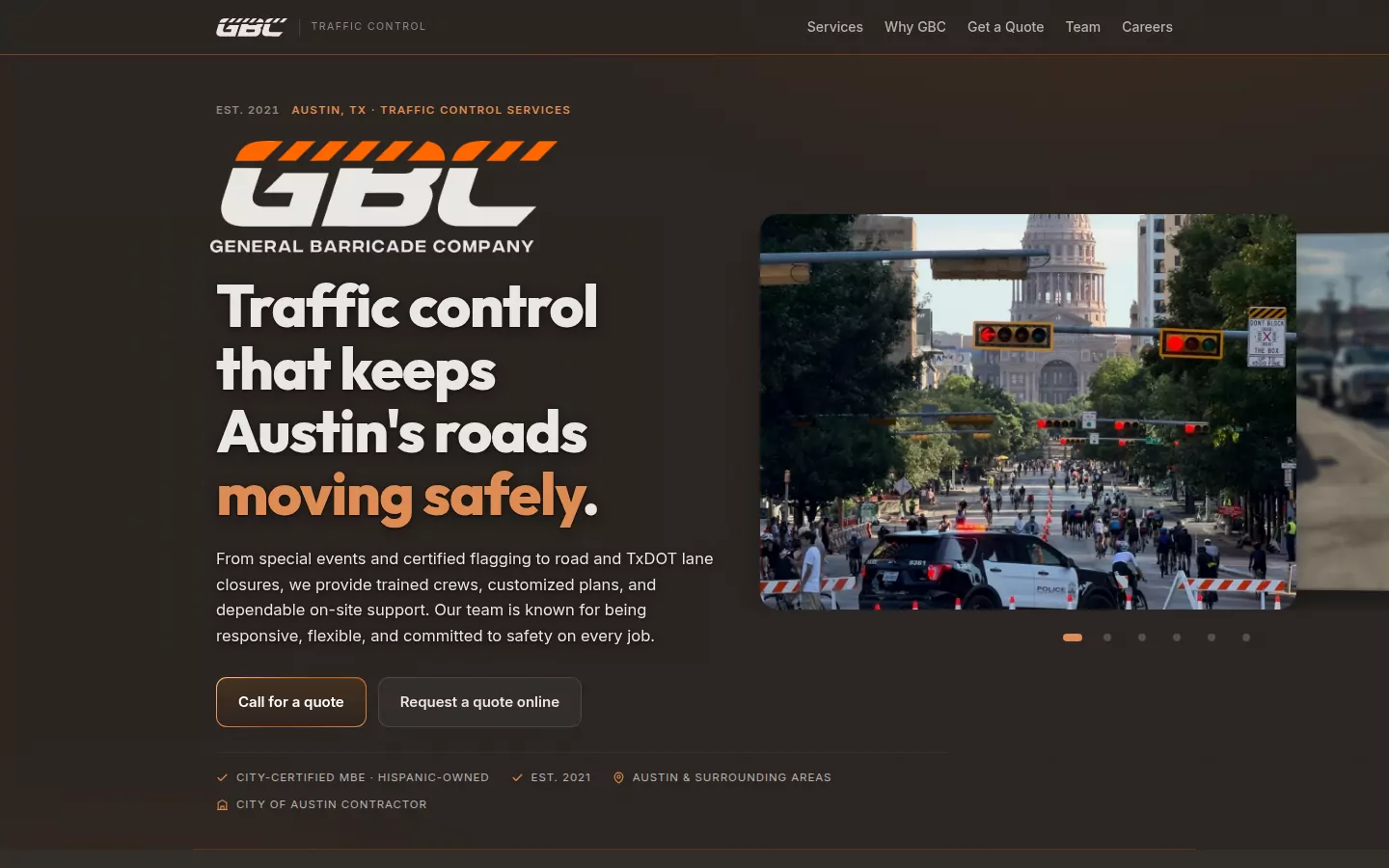
GBC General Barricade Company
Make the next job easy to find.
gbctrafficcontrol.com
A traffic-control website organized around the questions a crew needs answered: what you do, where you work, and how to get a quote. Services, equipment, coverage and contact stay close together.
In the current buildEvery service card now shows GBC's own jobsite photography, and the home page album shows their closures around Austin.
-
 Supply & sign shop
 DEPLOYEDLive website
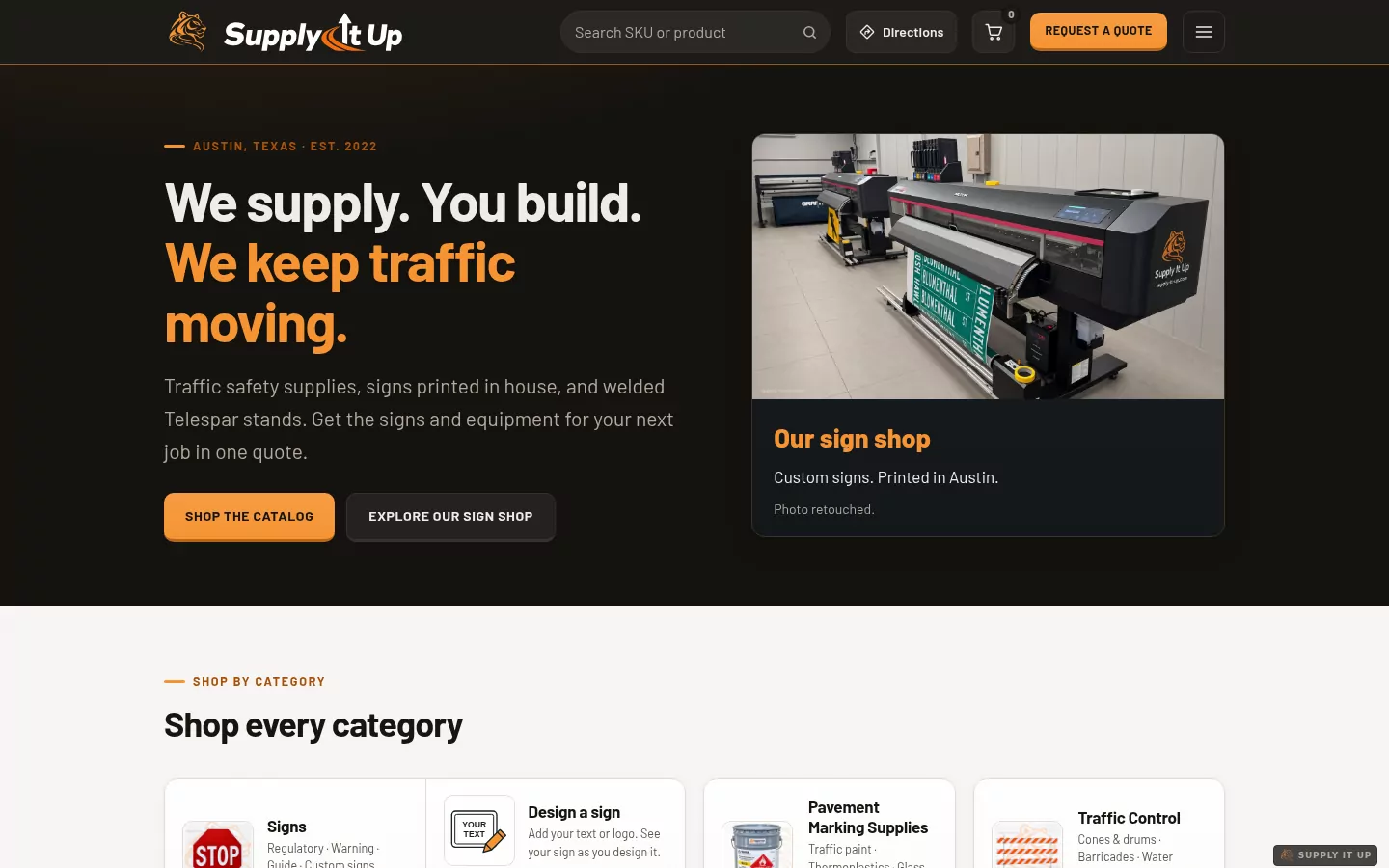
Supply It Up
From an idea to a sign.
supplyitup.com
A traffic-safety catalog and a sign studio built around one quote. Find equipment by product or SKU, start with a ready-made sign or a blank canvas, add your wording and logo, and save the design to continue later.
In the current buildNow at supplyitup.com. Design a sign is one tap from the home page, next to every catalog category.
-
 Paving & striping
 DEPLOYEDLive website
Stripe It Up
Paving and striping, and the crew to do it.
stripe-it-up.com
The website for a Central Texas paving, striping and sealcoating contractor, and the sister company of Supply It Up. Every service has its own page, and quotes, maintenance requests and bids each have their own form. A careers section gives every opening its own page, in English and Spanish, with a two-minute application that needs no resume.
In the current buildLive at stripe-it-up.com since September 26. The staff console now sends a Monday email with the week’s visits, applications and quotes.
-
 Fleet management
Live demo · sample trucks in Austin
Desk, cab and shop, live.
The admin's desk in the back, the driver's phone and the mechanic's phone in front, all on the same sample truck in Austin.
Open the full demoNo cameras. No AI rating your driving.
BETALive demo · sample dataFleet Manager
Know the vehicle. Stay ahead of the work.
atxnexusfleet.com · No sign-in for the demo
One record per truck, used two ways. The driver's screen keeps the map, the speed and one warning. The mechanic's phone keeps the parts, inspections and meter readings. An office desk shows the whole fleet on one map and hands out the work: a problem becomes a job, and the admin picks the mechanic and where the truck goes. Built for screens held sideways.
Nobody is filmed and no computer grades anyone. Every number on the screen is arithmetic you can check by hand, and it shows where it came from.
Being developedTracker firmware and the OBD feed. The demo runs on sample data; the map is live Google Maps.
-
 Operations platform

 BETAIn active development
NEXUS
The working day, in one place.
atxnexusops.com
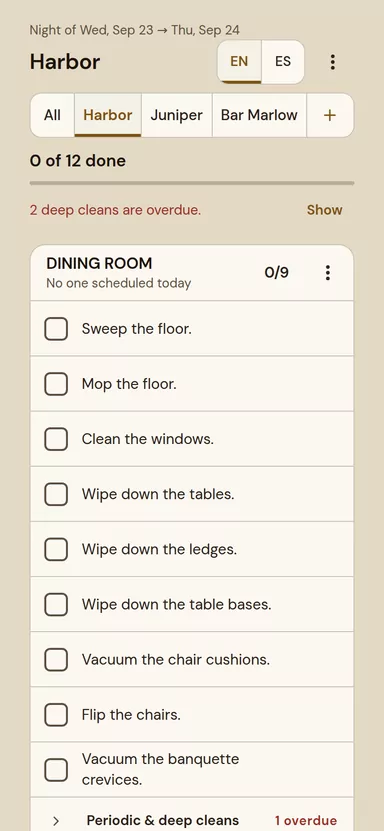
Daily duties, work orders, equipment, inventory and ordering for a group of three restaurants. NEXUS brings the work into one place, with a phone-friendly interface for the team using it.
In the current buildThe cleaning sheet is rebuilt for the end of a night shift: each tap ticks its own row, and nothing moves under the next tap. The daily log shows the whole week, house by house.
-
Apparel
 DEPLOYEDLive website
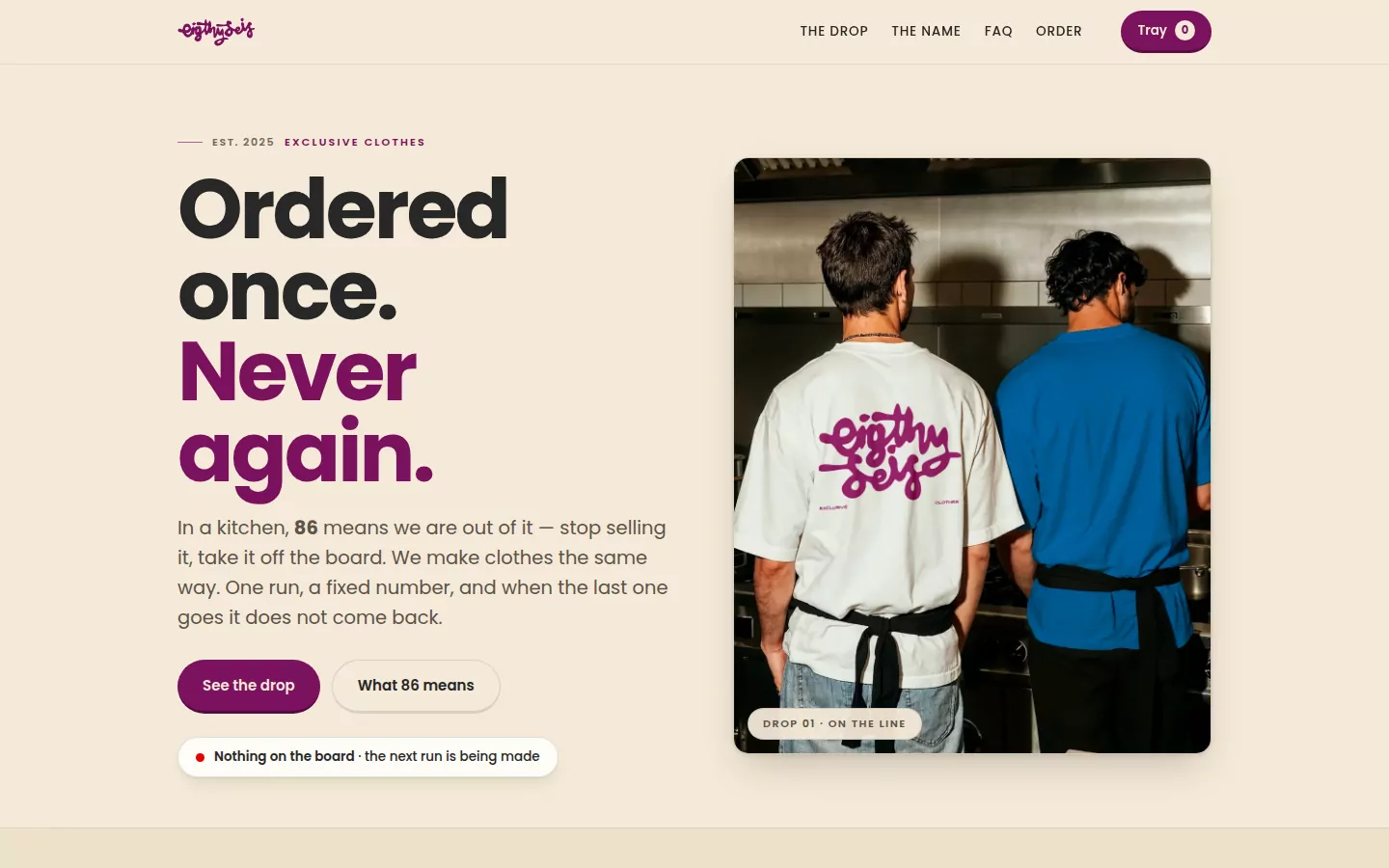
Eighty Seis
Small runs. A strong identity.
eightyseis.com
An apparel storefront built around limited drops, size-level availability and a reservation tray. The name, the product stories and the ordering flow share the same kitchen-born personality.
In the current buildBetween drops, the home page says so plainly: nothing on the board, and the next run is being made.
-
 Illustrated maps & worlds
 BETAIn active development
MapWoven
A story you can step into.
mapwoven.com
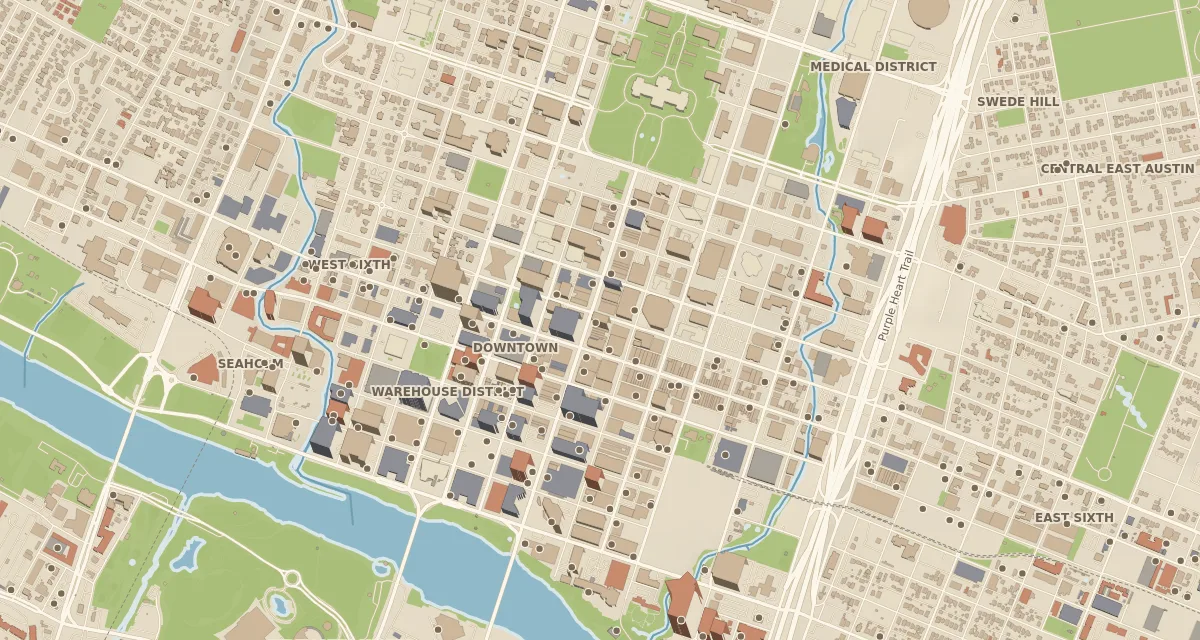
Illustrated maps for the stories a family reads together: Panem, the fall of Rome, Treasure Island, Oz and the Pyro star system, with the book and chapter behind every entry. Beyond the books, a painted Austin from morning to night and a working garden, bed by bed.
In the current buildA new Toradora atlas: 109 places and scenes across three regions, with four illustrated interiors to look inside.
-
SLACKNEXUS integrationBETAIn active development
Slack Integration
Keep the team in the loop.
Connected team workspace
Restaurant checklists, shift tracking and weekly workflows connected to Slack. The integration brings day-to-day operations into the team's workspace, with Google Sheets sync and shared reports.
Being developedChecklist automation, weekly planning and reporting continue to evolve with the team's workflow.
Ask about the integration Private team integration -
QUICKBOOKSNEXUS integrationBETAIn active development
QuickBooks Integration
From the work to the invoice.
QuickBooks Online · Authorized access
An assistant connector for customer records, invoices, outstanding balances and payment records in QuickBooks Online. NEXUS keeps the operational details; QuickBooks holds the financial records.
Being developedThe connector and its workflows are being refined. Linking work orders to vendor bills is planned.
Ask about the integration Private business integration
The reel 02
A closer look at the work.
Short recordings of each build as it stands today, in motion. They play while on screen and stay muted.
The walkthroughs 5 recordings
-
NEXUSHome · the cleaning sheet · English and Spanish
-
GBCgbctrafficcontrol.com
-
Supply It Upsupplyitup.com
-
MapWovenmapwoven.com
-
Eighty Seiseightyseis.com
Recorded from each build in September 2026. The NEXUS clip runs on sample data with invented restaurant names; real operations stay inside the restaurants.
The approach 03
Care in the details.
Purpose in every decision.
The process starts with the real work and continues after launch.
- 01
Understand the work
Start with the people, the place and the problem. A restaurant team, a road crew and a reader need different things.
- 02
Give it an identity
Keep the real logos, the right imagery and a consistent visual language. Each project should feel like it belongs to its owner.
- 03
Make the next step clear
A product should lead to a quote. A task should lead to an action. A map should make the next place easy to explore.
- 04
Design for a phone
Use readable text, generous controls and layouts that work on a small screen. Check the whole journey at mobile widths.
- 05
Build for the purpose
Choose the tools the project needs, keep the experience focused, and make failure states understandable.
- 06
Keep improving
Review the live product, listen to the people using it, and carry what works into the next iteration.
Follow the workshop on Instagram
New builds, screens in progress and the occasional kitchen at 6 a.m. go to @atx_nexus first.
Questions 04
What people ask before they write.
Short answers. If yours is not here, the form at the bottom goes to a person.
What do you actually build?
Websites for traffic-control, traffic-safety supply and paving companies: GBC, Supply It Up and Stripe It Up are live, built around the quote, the service area and the next hire. NEXUS Fleet for the trucks and the shop: a driver’s screen, a mechanic’s phone and an office desk on one record per truck. And NEXUS operations software with its Slack and QuickBooks connections, an apparel storefront (Eighty Seis) and an illustrated atlas (MapWoven). Projects marked Beta are still in development; access varies by project.
Will it work on my staff's phones?
That is the first thing it is built for. Every build is checked at phone width before it is checked anywhere else, and the operations platform installs to a home screen like an app and keeps working when the signal drops.
Can I change things myself later?
Yes. The client sites carry an edit mode: a passphrase, then you click the price or the paragraph on the live page and change it. Visitors never receive the editing code. For anything bigger, you write and it gets done.
Where does it run, and what does that cost me monthly?
The pages are static files served from GitHub Pages, and the data lives in Supabase, a hosted Postgres database. Both have free tiers that cover a small business comfortably, so the usual monthly bill for hosting is zero or close to it. Your domain name is the one recurring cost you always own yourself.
Why no page builder or template?
A custom build lets the design and behavior follow the business. The tools and structure vary by project; the goal is a clear experience that can grow with the work.
What does a build cost, and how long does it take?
Each project is scoped and quoted after a conversation about your needs, because the cost and timing depend on the work. Send a note with what you run and what hurts; you get a plain, personal reply.
Do you track visitors on my site or on this one?
This site keeps a count of its own visits, and since September 2026 it says so: first-party, cookieless, no third-party tracker and nothing sold. Client sites follow the same rule — into the owner's own database, readable by the owner and nobody else. The privacy page lists exactly what one visit records and links to the tracker's source, which is one file you can read.
Start a project 05
What would you like to build?
A website for your business, a tool for your team, or a world you want to bring to life. Tell me what you have in mind.